


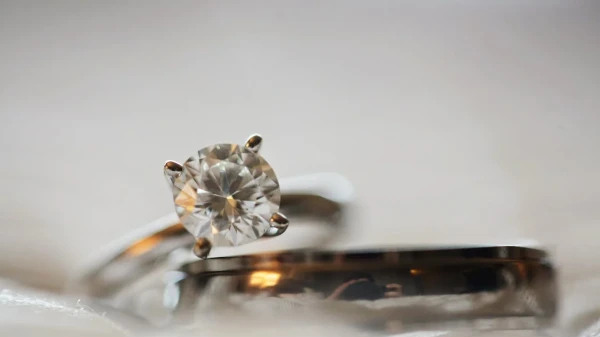
The application of computer-aided design (CAD) software in gold jewelry design has revolutionized the creation of intricate earrings and necklaces. By leveraging CAD, designers can achieve unparalleled precision, efficiency, and creativity. This article outlines best practices for using CAD software to design stunning gold earrings and necklaces, emphasizing essential features, techniques, and considerations.
Why Use CAD for Earrings and Necklaces?
Precision
- CAD enables detailed designs with exact measurements, ensuring each element aligns perfectly.
Creativity
- The flexibility of CAD tools supports experimental and innovative designs.
Customization
- Personalized features, such as engravings or gemstone settings, are easily integrated.
Visualization
- Lifelike 3D models provide a clear preview of the final piece.
Key Features of CAD for Jewelry Design
Gemstone Libraries
- Preloaded libraries offer a wide variety of gemstone cuts and sizes for seamless integration.
Material Simulation
- Simulate various gold types (yellow, white, rose) and finishes (polished, matte, satin) for realistic renders.
Parametric Modeling
- Enables adjustments to design elements without starting from scratch.
Multi-Axis View
- Provides comprehensive perspectives, ensuring no detail is overlooked.
Best Practices for Designing Gold Earrings
Consider Weight and Comfort
- Use CAD tools to calculate the weight of the earrings and ensure they are comfortable for prolonged wear.
Balance Symmetry and Creativity
- While symmetry is essential for aesthetics, CAD allows designers to incorporate subtle asymmetrical elements for uniqueness.
Optimize for Stone Settings
- Ensure precise cavities for gemstone placement using advanced setting tools.
Hinge and Drop Mechanisms
- Incorporate functional elements like hinges or hooks with precision to enhance durability and usability.
Best Practices for Designing Gold Necklaces
Focus on Proportions
- Use CAD to maintain proportionality between the chain, pendant, and other elements.
Test Pendant Movement
- Simulate how pendants or attached elements will move to ensure functionality and appeal.
Chain Links and Durability
- Design chain links with strength and aesthetic in mind, ensuring they complement the pendant and overall style.
Layering Options
- Create designs that work well as standalone pieces or in layered combinations.
Common Challenges and Solutions
Complex Geometries
- Challenge: Intricate designs may be difficult to execute manually.
- Solution: Use advanced CAD tools like parametric modeling and 3D sculpting.
Client Approval
- Challenge: Ensuring client satisfaction with virtual models.
- Solution: Provide realistic renders and interactive 3D previews for better communication.
Production Compatibility
- Challenge: Translating CAD designs into manufacturable models.
- Solution: Ensure compatibility with CAM software and manufacturing tools like 3D printers.
Advanced Tips for Mastery
Experiment with Textures
- Use CAD tools to apply unique textures, such as hammered or engraved effects, for added depth.
Layered Designs
- Create multi-layered earrings and necklaces that offer dimensionality and visual intrigue.
Collaborate Effectively
- Use cloud-based CAD platforms to share designs and receive real-time feedback.
Stay Updated
- Regularly update software to access the latest features and tools.
Conclusion
Using CAD software to design gold earrings and necklaces opens up endless possibilities for innovation and precision. By following best practices, designers can create pieces that are not only visually stunning but also functional and manufacturable. With advancements in technology and a commitment to creativity, CAD software remains an essential tool for modern jewelry design.
